
Probation Review & Confirmation Letter Automation
Submitted by Woroud Dakheel Hayawi
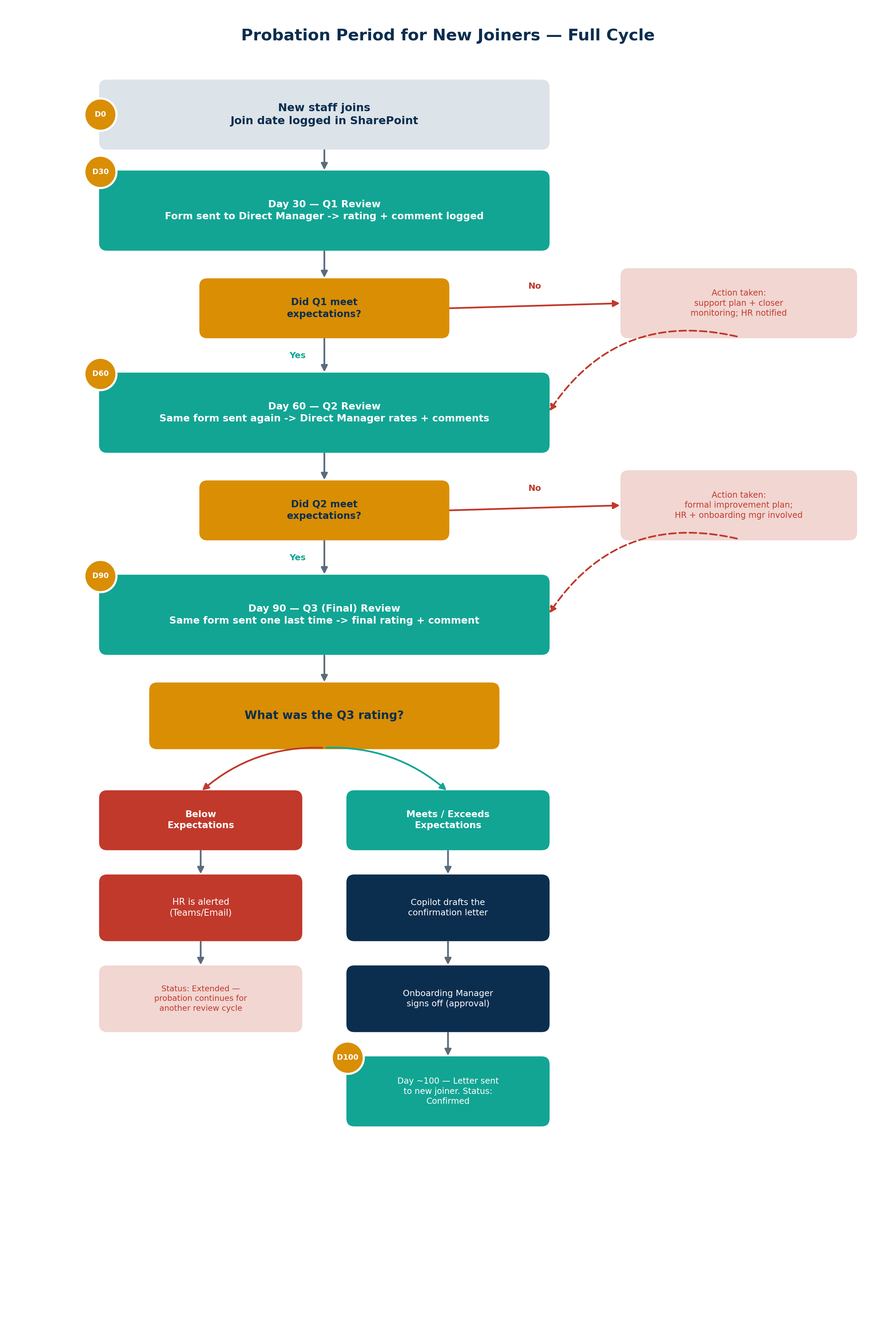
Pain point
The onboarding officer has to manually open an Excel sheet and check every new joiner's start date against today's date — there's no reminder or flag for when someone hits their 30/60/90-day review. If the officer is busy, on leave, or the sheet gets buried under other tabs, a review can quietly slip past its due date. Once caught, the same review form is printed and physically sent to the direct manager, with no tracking of whether it was filled in and returned. The rating and comment then get logged back into the same Excel sheet by hand. At the 100-day mark it's even more manual: the officer drafts the confirmation letter from scratch, walks it to the onboarding manager for a wet signature, and hand-delivers it to the new joiner — three manual handoffs for one letter, with nothing digital or searchable afterward.
Proposed solution
A Power Automate flow monitors the SharePoint tracker daily and automatically sends the review form when Q1/Q2/Q3 comes due — no manual date-checking required. When a manager responds, a second flow logs the rating and calls AI to draft the notification. On a successful Q3, AI drafts the full confirmation letter using all three quarters' data, which routes through an approval to the onboarding manager before being emailed to the new joiner. Below-Expectations ratings automatically escalate to HR instead. The human only ever reviews and approves — never tracks dates or drafts text from scratch.
Claude surface
Chat, Design
Open question
The documents still need to be signed — signature handling needs to be worked out, and the official probation form feedback specifically needs to be signed by the direct manager.